QR code setup
Add compatible authenticator accounts by scanning their setup QR code.
YOUR MOBILE AUTHENTICATOR
A focused authenticator experience for time-based verification codes. Keep compatible account codes close at hand with KaalKey for Android.

A CLEAR VIEW OF YOUR CODES
See your saved authenticator accounts and current time-based verification codes in a clean mobile interface designed to keep the next step easy to find.
See how it works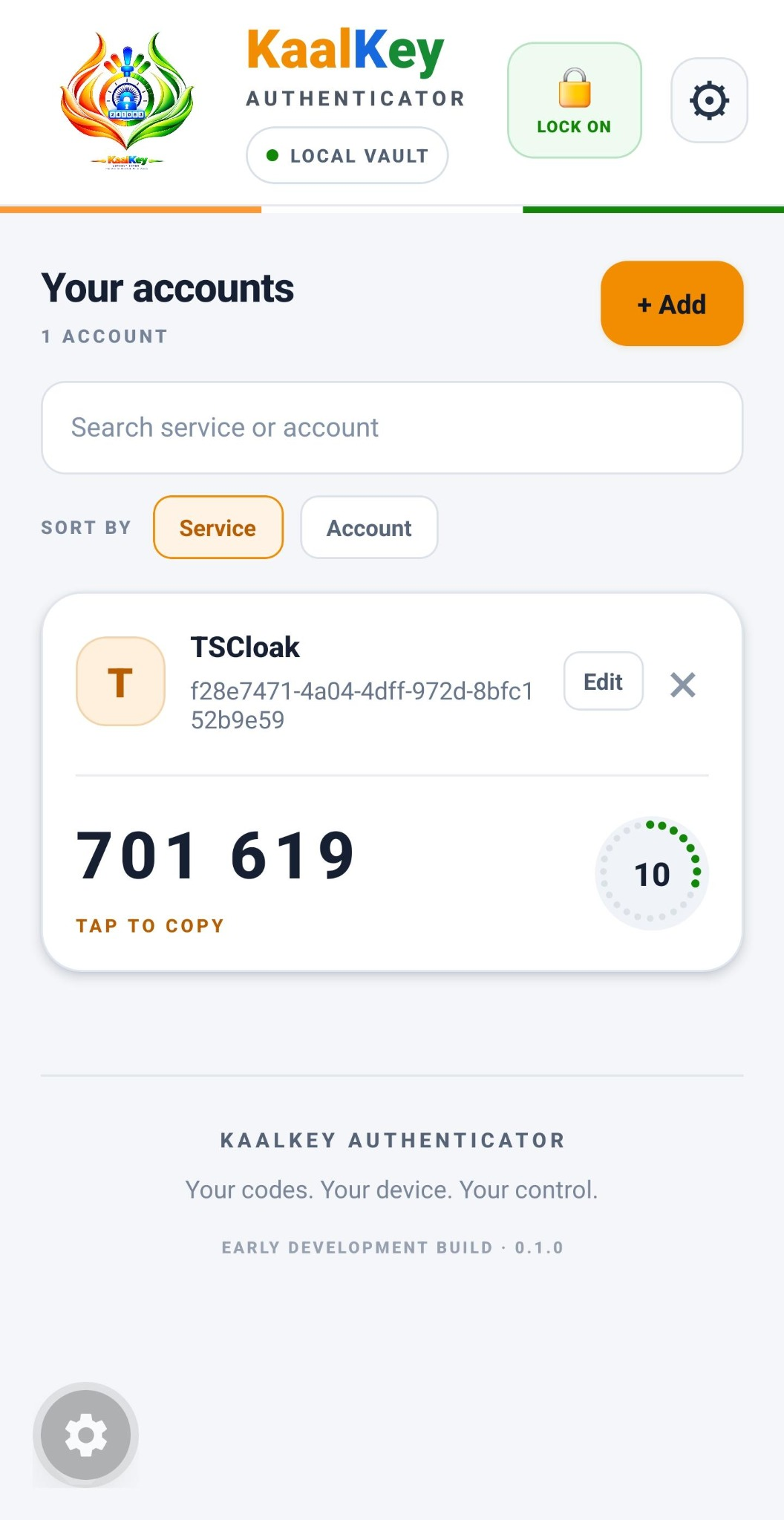
FEATURES
The essentials for managing authenticator accounts in one focused mobile experience.
Add compatible authenticator accounts by scanning their setup QR code.
View your current six-digit code and its refresh countdown at a glance.
Search, edit, remove, and sort saved authenticator accounts.
Keep your authenticator workflow organized on your device. Review the app's privacy and backup guidance before storing important accounts.
Use supported device biometrics to protect access to the app when the feature is enabled.
Use the available backup and restore workflow and keep backup files in a secure location.
HOW IT WORKS
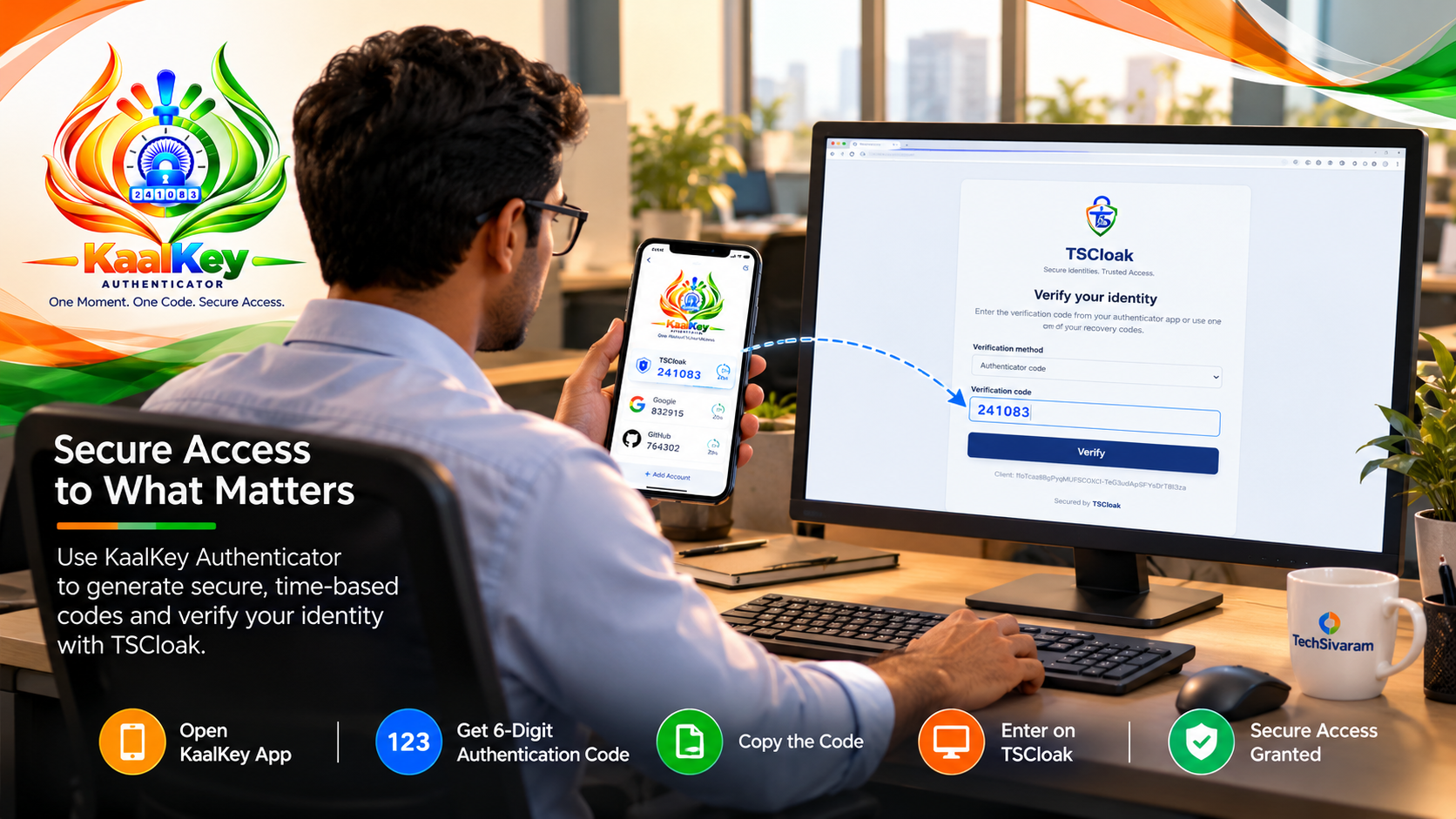
Use KaalKey with services that support authenticator-app verification codes.
Open a compatible service's two-factor setup and scan its authenticator QR code in KaalKey.
Open the account in KaalKey and use the current time-based code before it refreshes.
Enter the code on the supported service's sign-in screen, such as TSCloak.
WHERE IT FITS
Authenticator codes are commonly used as an additional verification step after a password. KaalKey is designed for services that support compatible time-based one-time passwords (TOTP).
Work and developer toolsFor compatible services that offer authenticator-app setup.
Personal accountsAdd another verification step where the service supports TOTP.
TSCloak workflowsUse the authenticator code in supported TSCloak sign-in flows.
SECURITY MATTERS
Authenticator codes can help protect compatible accounts by adding a second verification step. Keep your device, recovery codes, and backups private.
Two-factor authentication reduces some account risks but does not guarantee an account cannot be compromised. Available features depend on the installed app version and device capabilities.
FAQ
Quick answers about setting up and using KaalKey.
KaalKey is an Android authenticator app for generating time-based verification codes for services that support compatible authenticator apps.
Open the security or two-factor authentication settings of a compatible service, choose its authenticator-app setup option, and scan the setup QR code with KaalKey.
Only services that support a compatible authenticator-code standard, such as TOTP, can use these codes. Check the service's own security settings for supported options.
Follow the service's recovery process and keep its recovery codes in a separate, secure place. If you use KaalKey's backup features, protect backup files carefully and confirm that you can restore them before relying on them.
This page provides an Android APK download. Check the project repository for current development details and supported builds.
No. It adds a layer of protection, but account security also depends on your device, recovery methods, service configuration, and safe handling of codes.

KAALKEY AUTHENTICATOR
Explore the demo or get KaalKey for Android from TechSivaram.
Only install APK files from sources you trust. Review app permissions and keep a secure recovery option for your accounts.